20KB Photo Requirements by Platform: Passport, Visa, Government Forms Compared
Compare 20KB photograph requirements across passport offices, visa intake systems, and government application portals.
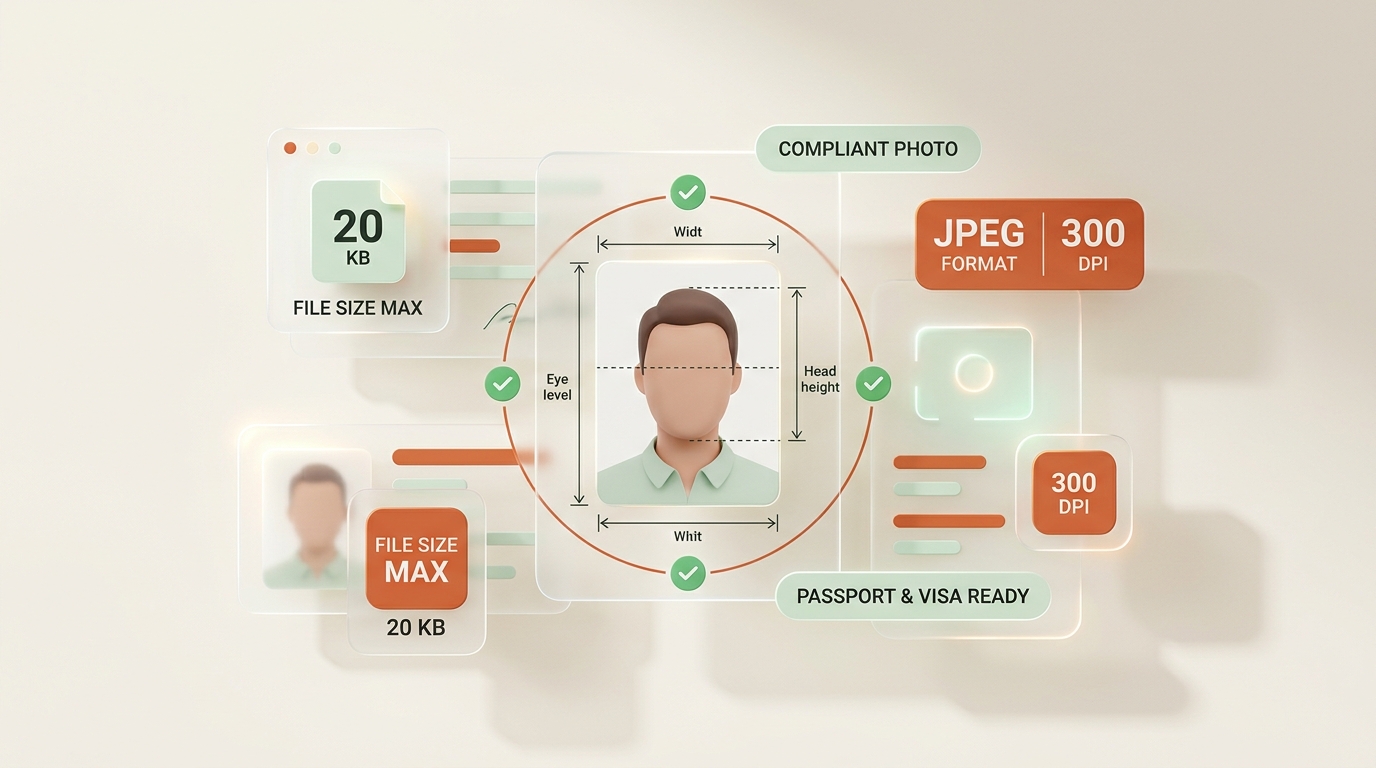
Every online application seems to ask for something slightly different, and a 20KB photo limit trips up more applicants than almost any other rule. Passport offices, visa portals, and government forms all set their own version of this cap, and none of them explain it quite the same way. This guide compares those passport photo file size rules side by side, so you know exactly what each online application photo actually needs before you upload anything.
Why Government and Portal Applications Enforce a Strict 20KB Photo Limit
Server Infrastructure, Database Scalability, and Fast Page Loads
Government servers process thousands of uploads daily, and a strict photo upload requirements policy keeps that system fast and storage costs low. A 20KB photograph takes a fraction of a second to load, verify, and file, compared with a multi-megabyte original straight from a phone camera. That efficiency matters more than most applicants realize.
Automated Biometric Verification and Facial Recognition Matching
There’s also a consistency reason behind it. When every government form photo sits near the same file size limit, review staff and automated biometric verification software can process images the same way, every time. A tiny, predictable file also transmits reliably over slower connections, which still matters for rural applicants and older office systems that haven’t been upgraded in years.
20KB Photo Specification Comparison Across Official Portals
1. Passport Photo Guidelines and File Size Limits (US, UK, India, Schengen)
Not every passport authority uses the same number. Some cap the passport image size at 20KB flat, others set a range like 10KB to 50KB, and a few specify passport photo maximum file size alongside separate photo dimensions rules. This is exactly why copying a friend’s settings rarely works.
| Requirement Type | Common Range |
|---|---|
| Strict maximum | 20KB flat |
| Flexible range | 10KB–50KB |
| Dimension + size combo | 350×450px and 20KB–40KB |
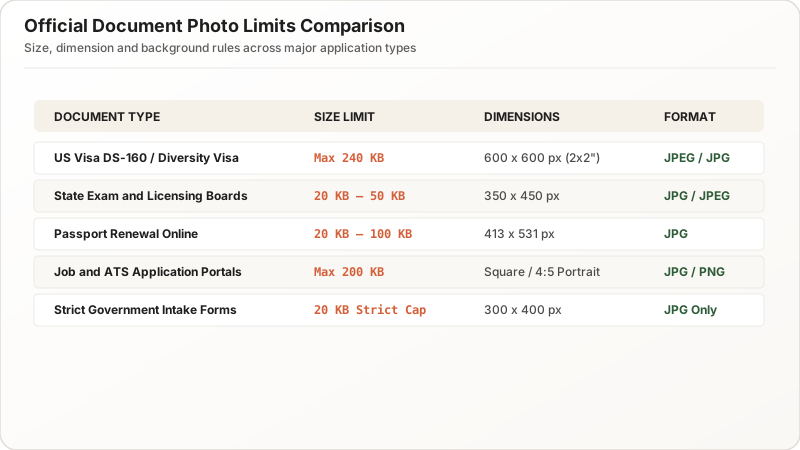
Always check the official photo requirements page for your specific country before resizing, since digital passport photo rules genuinely shift between agencies, and even between renewal versus first-time application forms on the same website.
2. Visa Intake Portals and Automated Biometric Upload Standards
Visa photo size rules tend to be stricter than passport ones, largely because visa systems cross-check biometric data automatically. A visa application image that’s too heavy can silently fail an automated scan without ever showing an obvious error message to the applicant.
Many embassies now publish a precise visa image requirements table on their site, listing acceptable photo file size, background color, and even head-position measurements together. Treat these as non-negotiable. Unlike a passport office that might manually flag a borderline file, a visa portal’s automated intake often just rejects it outright, costing you a resubmission cycle and, sometimes, a rebooked appointment slot.
3. Government Job Portals, Competitive Exams, and License Forms
Beyond travel documents, plenty of everyday government application photo uploads carry their own quirks. Driver’s license renewals, benefits applications, and professional licensing boards each maintain separate application image requirements, and they rarely match each other.
A few patterns show up repeatedly across these portals:
- A hard image size limit, almost always under 100KB
- A required photo dimensions range, often square or near-square (e.g., 200×200px or 350×450px)
- A specific accepted format, usually JPG, occasionally PNG
Read the fine print on each online form photo field individually. Even within one government website, different departments sometimes enforce different specs.
Understanding File Size (KB) vs. Pixel Dimensions (W × H)
Storage Weight (Kilobytes) vs. Visual Resolution (Pixels)
This confuses more applicants than anything else on this list. File size measures data weight in kilobytes (KB). Photo dimensions measure width and height in pixels (px). A photo can satisfy one requirement while completely missing the other, and portals rarely explain that distinction clearly.
How High-Resolution Images Cause Upload Rejections
A crisp, high-resolution image might land at exactly the right pixel count and still weigh 300KB, well past a 20KB passport photo cap. Meanwhile, a poorly scaled thumbnail might squeeze under 20KB easily but fail a minimum-dimension check. Solving one problem doesn’t automatically solve the other, so check both, every time.
How to Find Official Photo Requirements Before Resizing
The Core Requirement Triad: File Size, Pixel Dimensions, and Format
Before opening any editing tool, pull up the actual official photo requirements page for the exact form you’re submitting. Screenshot or save it, since some agencies update specifications without much notice, and you’ll want a record of what applied when you submitted.
Verifying Portal Updates and Agency Guidelines Before Submission
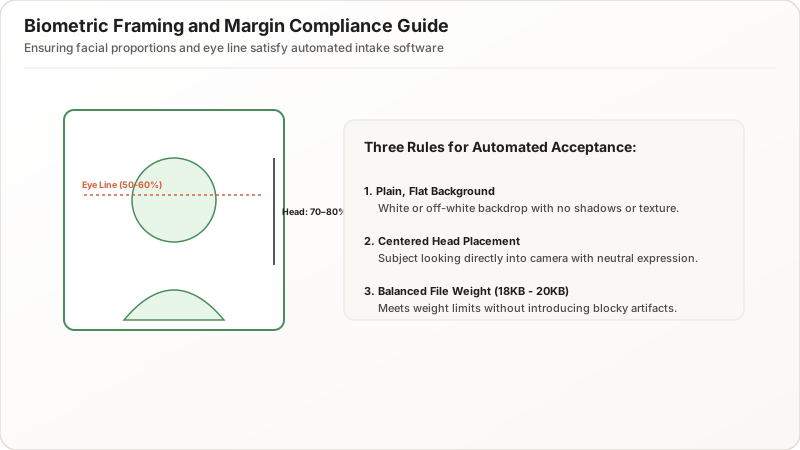
Look specifically for three numbers: the file size limit, the required photo dimensions, and the accepted file format. If a page only lists one or two of these, assume the others follow standard defaults, but don’t guess. A quick support-email confirmation beats a rejected application upload limit and a delayed file.
Step-by-Step: Preparing a Photo That Meets Strict 20KB Upload Rules
Setting Up Proper Studio Lighting and Plain Backgrounds
Start with a clean, well-lit portrait or headshot against a plain background, since busy backgrounds compress worse and often violate background-color rules anyway.
The Correct Workflow: Crop Dimensions First, Compress File Size Second
- Crop to the required photo dimensions first, keeping the correct aspect ratio locked.
- Adjust image quality downward second, until the file size lands comfortably under the 20KB cap.
This order matters. Fixing dimensions before compression avoids stretching or awkward re-cropping later. Once both numbers check out, save a copy specifically labeled for that one application portal, since reusing the exact same file across passport, visa, and license applications often causes mismatched format requirement errors.
Common Portal Rejection Scenarios for Oversized Photos
Immediate Portal Upload Errors vs. Silent Submission Delays
Most systems respond one of two ways. Some throw an immediate upload error, naming the file size problem directly, which is the easier scenario to fix. Others accept the upload silently, then flag the document submission for manual review days or weeks later, delaying your entire application without warning.
Preventing Critical Application Deadlines and Processing Delays
A rejected passport photo upload message is frustrating but fixable in minutes with a proper photo editor. A silent, delayed rejection is worse, since you may not learn about the issue until your processing window has already closed. Resizing correctly the first time avoids both outcomes entirely.
Pre-Upload Verification Checklist for 20KB Photos
Checking Exact Kilobyte Size in File Explorer and Finder
Before submitting, open the file’s Properties panel (Windows) or Get Info (Mac) and confirm the file size in kilobytes directly, rather than trusting an editing tool’s on-screen estimate. Editors sometimes round or approximate, and a few extra kilobytes can be the difference between acceptance and rejection.
Verifying Pixel Dimensions and Aspect Ratio Compliance
Cross-check the pixel dimensions (W × H) the same way, and compare both numbers against your saved official requirements screenshot from earlier. If everything matches, you’re ready. If not, a second quick pass through your photo editor usually resolves the gap in under a minute.
Summary & Best Practices for 20KB Photo Compliance
Passport, visa, and government form photo rules all share a common thread: a strict file size limit paired with a separate dimension requirement, and both must be satisfied together. Confirm the official numbers first, crop and compress in the right order, and verify the finished file before you upload. Get that sequence right once, and every future application image becomes a five-minute task instead of a guessing game.